Areas and quantities taken from the model itself
What is drawn is what gets measured. No second survey, no parallel spreadsheet, and no discovering on site that the area does not match.
1 source
drawing and measurement are the same data
CSV
bill of quantities, one row per element
PDF + IFC 4
what the site receives
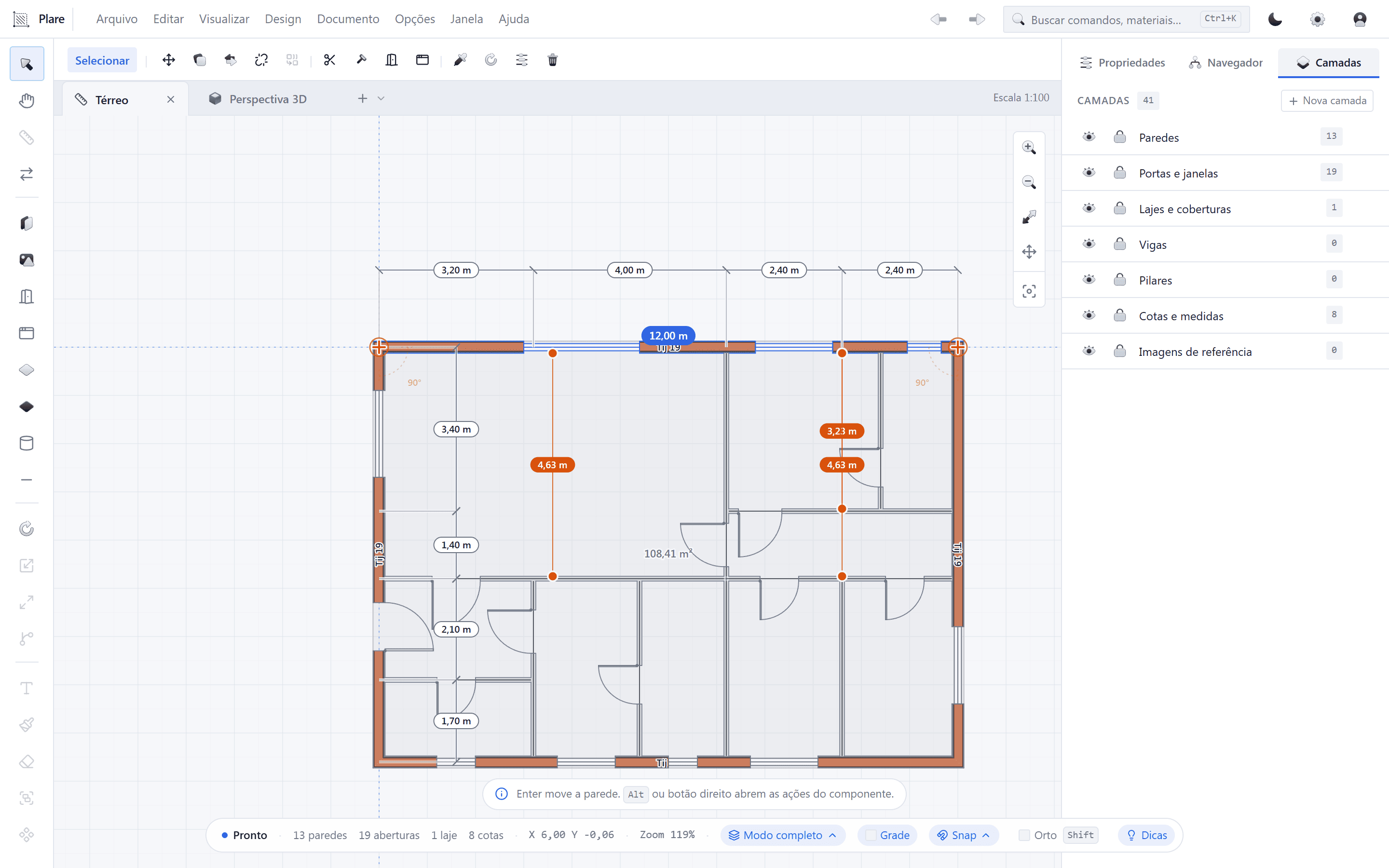
Measurement
Quantities per element
Every wall, slab and opening carries its own measurement. The bill of quantities is a read of the model — not a separate job done after the drawing is signed off.
Changes
Change the drawing, change the quantity
Moved a wall? Its area, length and opening count follow in the same frame. There are no two versions of the truth waiting to be compared.
Site
What goes out to the site
PDF to print and IFC 4 to open in another program. The crew sees the same plan the office drew, with no conversion in between.
From model to site
Measurement is not a separate phase. It is a read of what is already drawn.
- 1
Model closed
Work on the approved plan. Plare counts exactly what exists in the document — no more, no less.
- 2
Quantities review
Check the areas by category and by layer and fix what is missing before exporting. This is where a forgotten element gets caught.
- 3
Export
Leave with the bill of quantities as CSV and the plan as PDF and IFC 4. Three files, one origin.
- 4
Site changes
A change in the office recalculates everything. Re-export and the site has the right version, with the quantities already updated.
Frequently asked questions
- Do the quantities include waste?
- Not by default. The bill gives the net measurement from the model; the waste allowance is your call, applied afterwards on numbers you know the origin of.
- Can I split it by floor or by phase?
- Yes, as long as the elements are organised by layer — the layer is the natural grouping of the bill of quantities.
- Does the site need Plare to open the files?
- No. It receives PDF and IFC 4, which open in any compatible program or viewer. Plare is not required of anyone who only needs to consult.
Other solutions
Draw your first project
A tool that treats the plan like a technical document, and a Copilot that gets the tedious part of drawing it out of the way.