Dimensions, openings and slabs with numbers that add up
Plare stores the model, not the drawing. That is why areas come out right without measuring them by hand, and why the plan and the perspective never disagree.
5.50 m
chained dimension recalculated in real time
84.20 m²
slab area read from the polygon itself
8
element categories with section and material
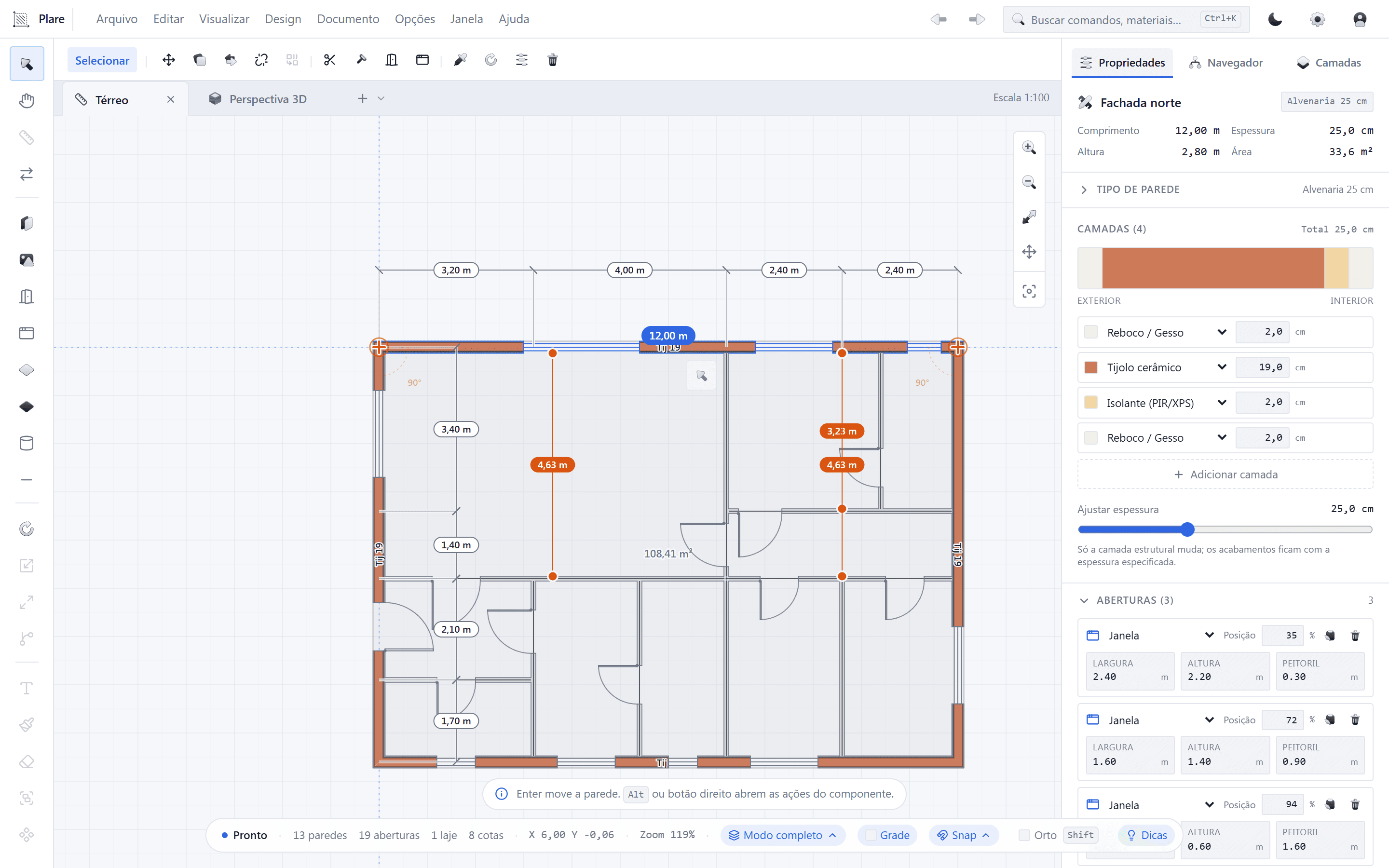
Dimensions
Chains anchored to features
A dimension latches onto corners, axes and midpoints. Adjust one wall and the whole chain recalculates on its own — no loose numbers quietly going stale.
Structure
Columns and beams with a section
A column is a rectangle with a section and a material; a beam is a span between supports. The model knows the difference and counts them separately instead of treating them as identical lines.
Quantities
Areas and volumes without a spreadsheet
Slabs, walls and openings carry their own measurements. The bill of quantities is read from the model, not from a manual survey done after the drawing is finished.
From model to bill of quantities
The drawing and the measurement are the same data. There is no second step where the numbers part ways with the geometry.
- 1
Structural grid
Place columns (O) on the grid and connect them with beams (V), defining each span and each element's section.
- 2
Envelope
Close the walls at their design thickness and assign a material to each. Thickness belongs to the element, not to the stroke.
- 3
Dimensions
Chain the dimensions (C) across the features that matter: openings, thicknesses and ceiling heights. Every end latches onto something that exists.
- 4
Quantities
Export the bill of quantities from the areas and volumes the model already holds — as CSV, one row per element.
Frequently asked questions
- Does Plare do structural analysis?
- No. Plare draws and quantifies; the analysis belongs to your structural software. What leaves here is the model and its measurements, ready to feed that analysis.
- Can I get the measurements into Excel?
- Yes. The bill of quantities exports to CSV, with one row per element and its area, length or volume.
- Do dimensions break if I move everything?
- No. They are tied to features, not to coordinates — moving the geometry moves the dimension with it. It is the same reason a slab's area does not go stale after you edit it.
Other solutions
Draw your first project
A tool that treats the plan like a technical document, and a Copilot that gets the tedious part of drawing it out of the way.