Revit dominates the BIM market — but “dominate” has never meant “serve everyone well”. A good share of independent architects and small practices use a fraction of what the software offers and pay for it in full, in money, in hardware and in training time.
If that is your case, it is worth getting to know the alternatives. We gathered seven, with the real strengths and limitations of each.
General comparison
| Software | Best for | Platform | Price |
|---|---|---|---|
| ArchiCAD | Architecture practices that want refined documentation | Windows and macOS | Commercial licence |
| Plare | Schematic design, residential plans and fast iteration | Windows (Beta) | Free during the Closed Beta |
| Vectorworks | Architecture, landscape and hybrid 2D/3D projects | Windows and macOS | Commercial licence |
| Allplan | Practices focused on structure and precast | Windows | Commercial licence |
| BricsCAD BIM | Those coming from AutoCAD who want BIM on top of DWG | Windows, macOS and Linux | Commercial licence (perpetual available) |
| Edificius | Those who want BIM and rendering integrated in the same product | Windows | Commercial licence |
| FreeCAD / BlenderBIM | Those who prioritize open IFC and zero licence cost | Windows, macOS and Linux | Free and open source |
Qualitative comparison based on public documentation and day-to-day use of the software. Prices change often — always check the official site before deciding.
1. ArchiCAD
The most solid and oldest alternative to Revit. Developed by Graphisoft, it built a loyal base among architects precisely because it was born from an architectural mindset — not an engineering one.
- Strengths: excellent 2D documentation, native macOS version, mature and customizable object library, historically strong IFC support.
- Limitations: licence with a significant cost, still-dense interface, smaller ecosystem than Revit’s in some markets.
- Choose it if: you want a mature architecture tool, work on Mac and value the quality of the final sheet.
2. Plare
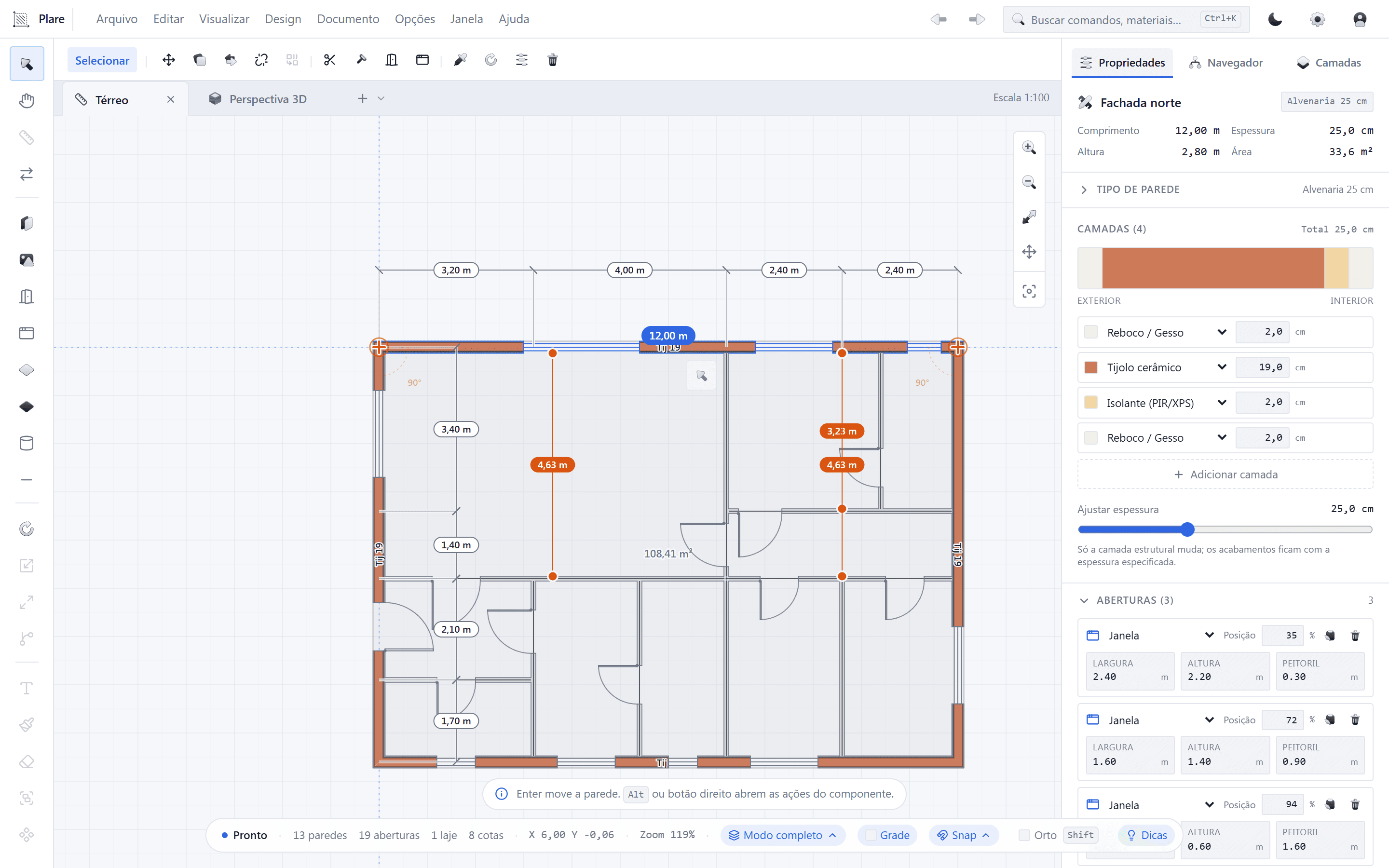
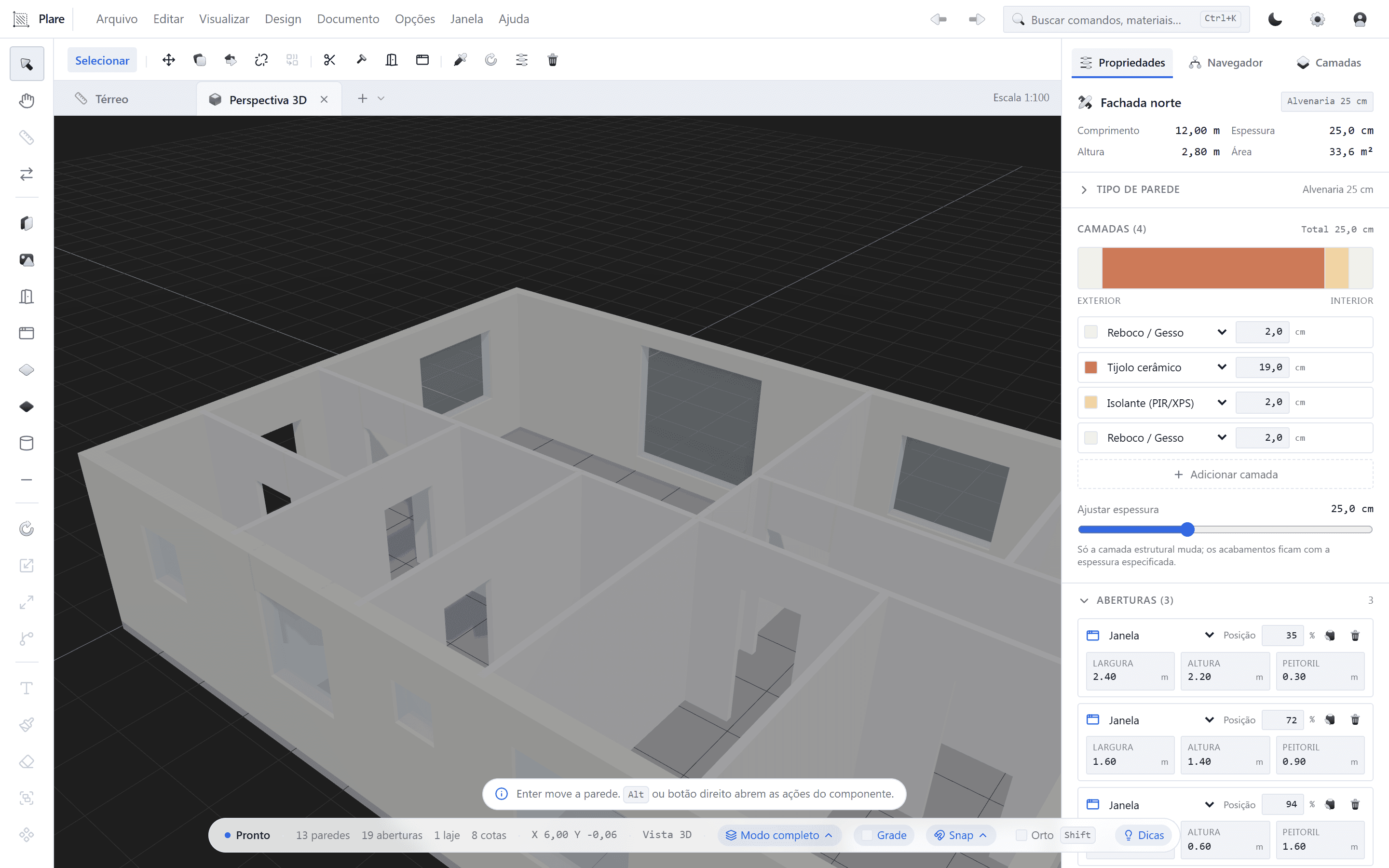
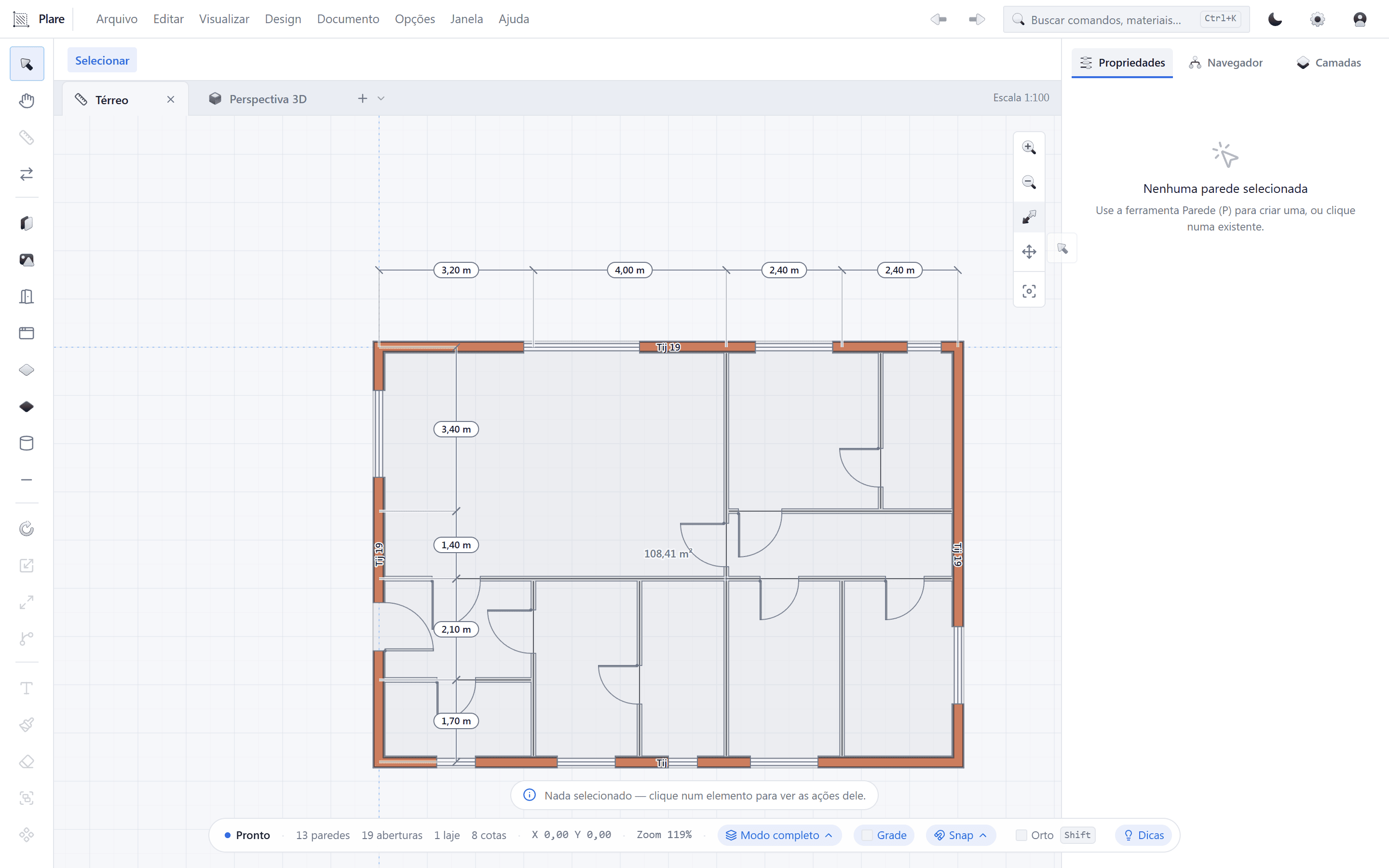
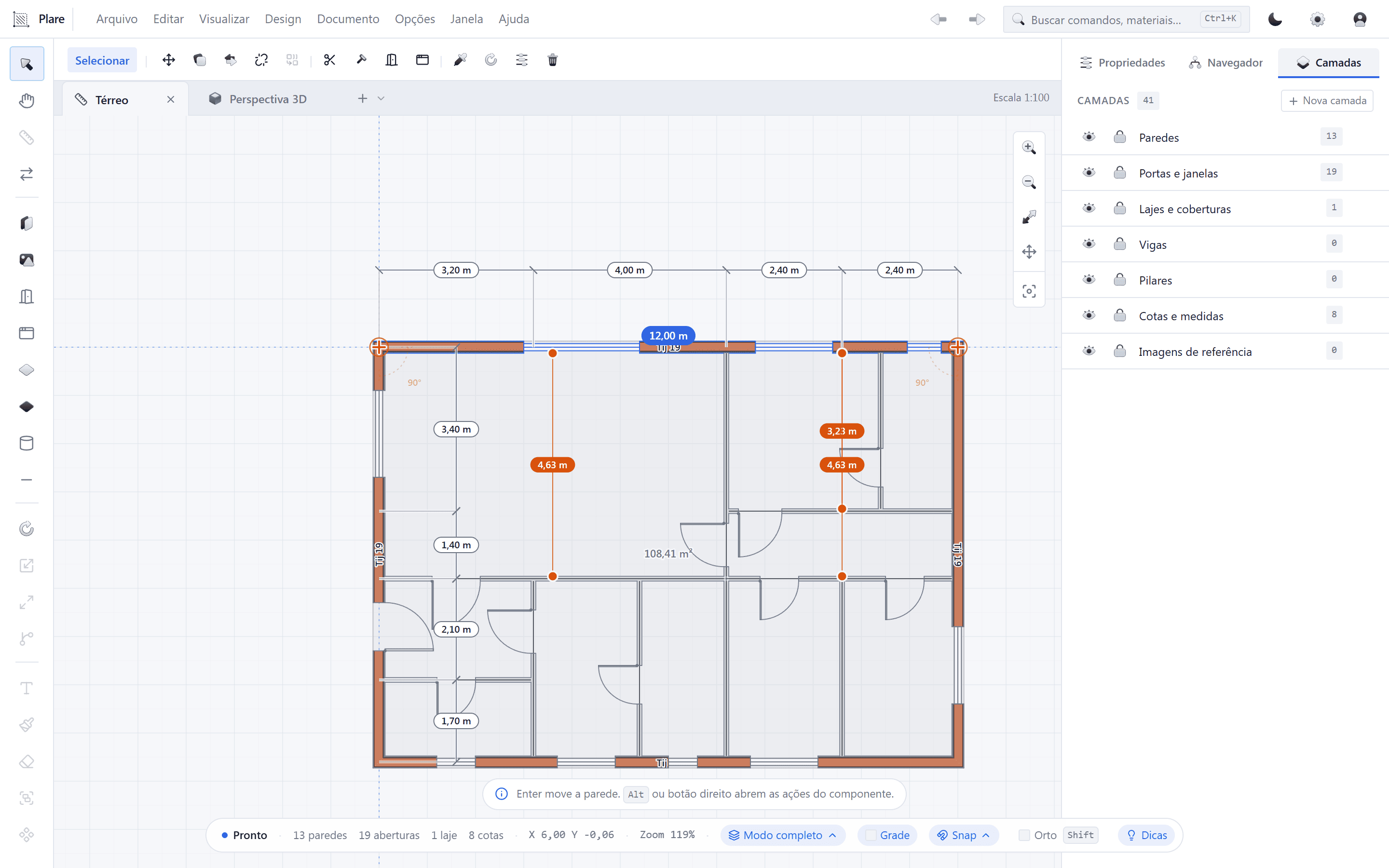
The new-generation alternative — and the only one on this list that is free right now. Plare is born from a simple observation: architects think in plan, and most software forces you to think in model.
- Strengths: you draw the floor plan and the 3D volume is generated in real time; minimalist interface with a short learning curve; light native core; monthly updates; free during the Closed Beta.
- Limitations: still in Closed Beta (features may change), component library still expanding, exchange via DWG/IFC instead of opening .rvt, no macOS at this stage.
- Choose it if: your bottleneck is iteration speed, you work alone or in a small team, and you want to show the volume to the client from the first meeting without maintaining two models.
3. Vectorworks Architect
Nemetschek’s hybrid take: it is comfortable both for those who draw in 2D and for those who model in 3D, which explains its popularity in practices that do architecture and landscape under the same roof.
- Strengths: well-balanced 2D and 3D, strong in landscape and interior projects, native macOS version, built-in presentation tools.
- Limitations: commercial licence, BIM workflow less widespread in Brazil, less content in Portuguese.
- Choose it if: you need a single tool for architecture, interiors and landscape in a Mac or mixed environment.
4. Allplan
Also from Nemetschek, with a strong presence in Europe and a solid reputation in structure, precast and reinforcement detailing.
- Strengths: structural engineering and precast features, good quantity control, integration with the Nemetschek ecosystem.
- Limitations: interface with a steep learning curve, scarcer presence and material in Portuguese, commercial licence.
- Choose it if: your practice works with structure, precast, or serves European clients who already use the platform.
5. BricsCAD BIM
The natural choice for anyone coming from AutoCAD. BricsCAD keeps DWG as its native format and adds a BIM layer, with features for automatic geometry classification.
- Strengths: DWG base, familiar commands, available for Windows, macOS and Linux, perpetual licence option, cost generally lower than that of direct competitors.
- Limitations: BIM workflow less intuitive than that of native BIM tools, smaller community, less abundant documentation in Portuguese.
- Choose it if: you want to stay in DWG but need to deliver something with a BIM look without replacing your entire archive.
6. Edificius
A solution from the Italian company ACCA that bets on integration between BIM modeling and rendering, which pleases practices that produce images and videos often.
- Strengths: rendering and BIM in the same environment, good library, video and virtual reality features.
- Limitations: limited community and material in Portuguese, smaller market presence outside Europe, commercial licence.
- Choose it if: you deliver image and video as a central part of the service and want to avoid the back-and-forth between modeler and renderer.
7. FreeCAD and BlenderBIM
The open-source options. FreeCAD has a reasonable architecture/BIM workbench, and BlenderBIM brings a native IFC workflow into Blender.
- Strengths: zero licence cost, native IFC, no vendor lock-in, active community, cross-platform.
- Limitations: steep learning curve, less automated documentation workflow, no commercial support, uneven stability between versions.
- Choose it if: you have a technical profile, time to set up the environment and a principle of not depending on a proprietary format.
How to choose your alternative
Instead of comparing feature lists, answer four questions — the answer usually points to a single tool:
- What format does your client require? If it is .rvt, you need Revit, period. If it is DWG, PDF or IFC, all the options above work.
- What system do you work on? Native Mac today: ArchiCAD or Vectorworks. Windows: all of them.
- What is your bottleneck? Iteration speed: Plare. Sheet quality: ArchiCAD. Structure: Allplan. DWG legacy: BricsCAD.
- How much can you invest? Zero budget now: Plare (Beta) or open source. Budget available: weigh the total cost — licence, hardware and training hours.
The most sensible approach is not to migrate all at once. Pick an alternative, run a small project from start to finish and compare the total time with what you take today. It is the only test that matters.
Try Plare in the Closed Beta
Leave your email and get your invite before the public launch. Seats are released in order of signup.
Disclosure: this blog is maintained by the team building Plare. Comparisons are written from public documentation and everyday use of the tools mentioned — when a competitor is the better choice for a scenario, we say so. Plare features still in development may change before launch.
Frequently asked questions
- What is the best free alternative to Revit?
- For professional use, Plare — free during the Closed Beta — is the alternative with the best balance of simplicity and results, because it delivers unified 2D and 3D at no cost. For anyone who wants open source and does not mind a steep learning curve, FreeCAD (BIM workbench) and BlenderBIM are options with no licence cost.
- Is there any alternative to Revit that is just like it?
- BricsCAD BIM is the closest in day-to-day use: it works natively in DWG and has commands familiar to anyone coming from AutoCAD/Revit. ArchiCAD is the most mature alternative as a product, but with a modeling philosophy of its own.
- Is it worth leaving Revit?
- It depends on who receives your file. If you serve large construction firms or contracts that require .rvt, probably not. If your client receives DWG, PDF and images — the case for most architecture practices — the switch is perfectly viable.
- Do Revit alternatives run on Mac?
- ArchiCAD and Vectorworks have had native macOS versions for decades — they are the classic choices for practices that work on Mac. Plare is in Beta on Windows, with a cross-platform core and macOS planned for the next phases.
- Can I keep Revit and use another tool at the same time?
- Yes, and it is the safest path. Use the alternative on new projects or in the study phase, keep Revit where it is mandatory and exchange files via DWG and IFC until you are confident enough to migrate for good.
- Which alternative has the shortest learning curve?
- Plare was designed with that goal: you draw the floor plan and the 3D appears in real time, without having to learn families, parameters or worksets. Among the mature tools, ArchiCAD is usually considered friendlier than Revit itself.