Quick answer: Plare or Revit?
This question almost never has an absolute answer — and be suspicious of any comparison that says otherwise. What exists is a conditional answer, based on three variables: project size, who receives your file and how much time you have to learn the tool.
Revit launched in the early 2000s and became the common language of BIM. That means a huge installed base, thousands of ready-made parametric families, integration with analysis and coordination tools, and a market requirement: in many contracts, the deliverable is the Revit file. None of that is replaced by the promise of new software.
Revit’s problem was never capability — it was friction. Projects that freeze, files that take minutes to open, an interface with dozens of panels and a subscription model that weighs on the cash flow of anyone with two or three licences. Plare was born precisely to attack that friction: a native core, a lean interface and a short cycle between what you draw in plan and what you see in 3D.
Plare vs Revit: comparison table
| Criterion | Autodesk Revit | Plare |
|---|---|---|
| Approach | Full authoring BIM, multidisciplinary | Architecture-focused authoring CAD/BIM, with unified 2D and 3D |
| Workflow | 3D model as the source; views, sections and schedules derived from it | Floor plan as the source; the 3D is generated and updated in real time |
| Learning curve | Steep — weeks to months before real productivity | Gentle — the essentials show up in minutes, with no dozens of panels |
| Performance | Demands a powerful machine; large projects slow down | Light native core, built to keep the response instant |
| Ecosystem | Mature: families, plugins, Dynamo, analysis integrations | Still forming — focused on doing the basics exceptionally well |
| Interoperability | Opens .rvt, DWG, IFC and dozens of formats | Exchange via DWG and IFC (the market standard between different software) |
| Collaboration | Multi-user worksharing on the same model | Single-user workflow in the Beta; collaboration arrives on the public roadmap |
| Updates | Annual cycle, with occasional fixes | Monthly releases, driven by direct user feedback |
| Price | Paid subscription, with a significant cost per workstation | Free during the Closed Beta |
| Platforms | Windows (there are remote alternatives for Mac) | Windows in the Beta; cross-platform core |
Qualitative comparison based on public documentation and day-to-day use of the software. Prices change often — always check the official site before deciding.
Where Revit is still unbeatable
Before we talk about Plare, it is fair to recognize where Revit has no real rival today. If your project fits any of the items below, Revit is probably still the right tool:
- Real multidisciplinary coordination. Structure, plumbing, electrical and HVAC in the same model, with clash detection and worksharing between teams.
- Complex parametric families. When you need a component to behave differently depending on context, Revit’s parametric engine is light-years ahead.
- Contractual deliverables. If the client or the construction firm asks for .rvt, you need Revit — or someone who has it.
- Integrated quantification and costing. Automatic schedules feeding spreadsheets and ERPs is a consolidated workflow.
- Availability of professionals. It is easier to hire someone who already knows Revit than to train someone from scratch.
Revit — strengths
- Market standard, accepted in practically any contract
- Mature ecosystem of families, plugins and integrations
- Robust worksharing and multidisciplinary coordination
- Powerful parametric engine for complex components
- Huge base of courses, forums and available professionals
Revit — limitations
- Long learning curve and an overloaded interface
- Demands expensive hardware; slows down on large projects
- Annual subscription with a high cost per user
- Slow update cycle tied to the year’s version
- Many simple operations take several steps
Where Plare has the edge
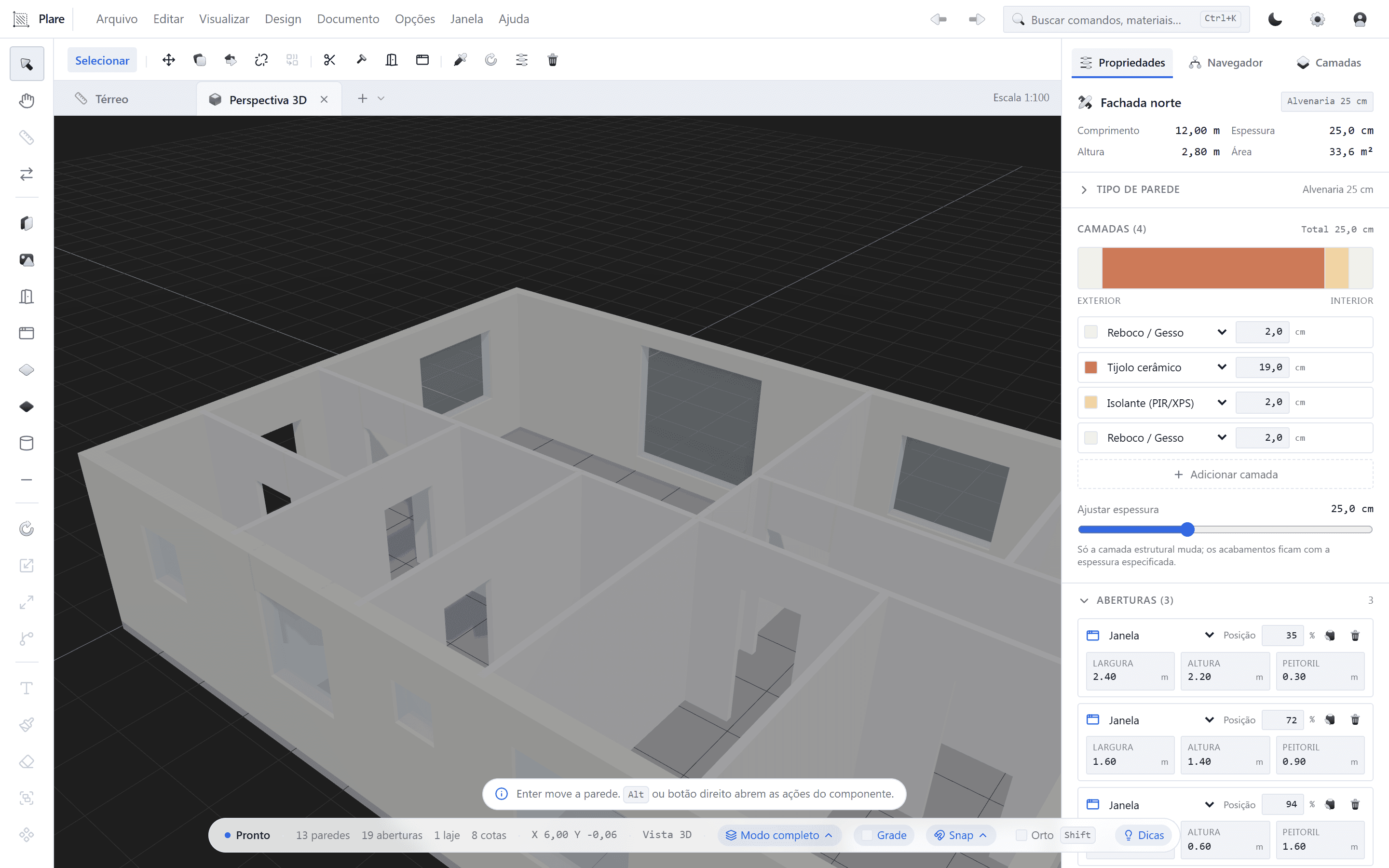
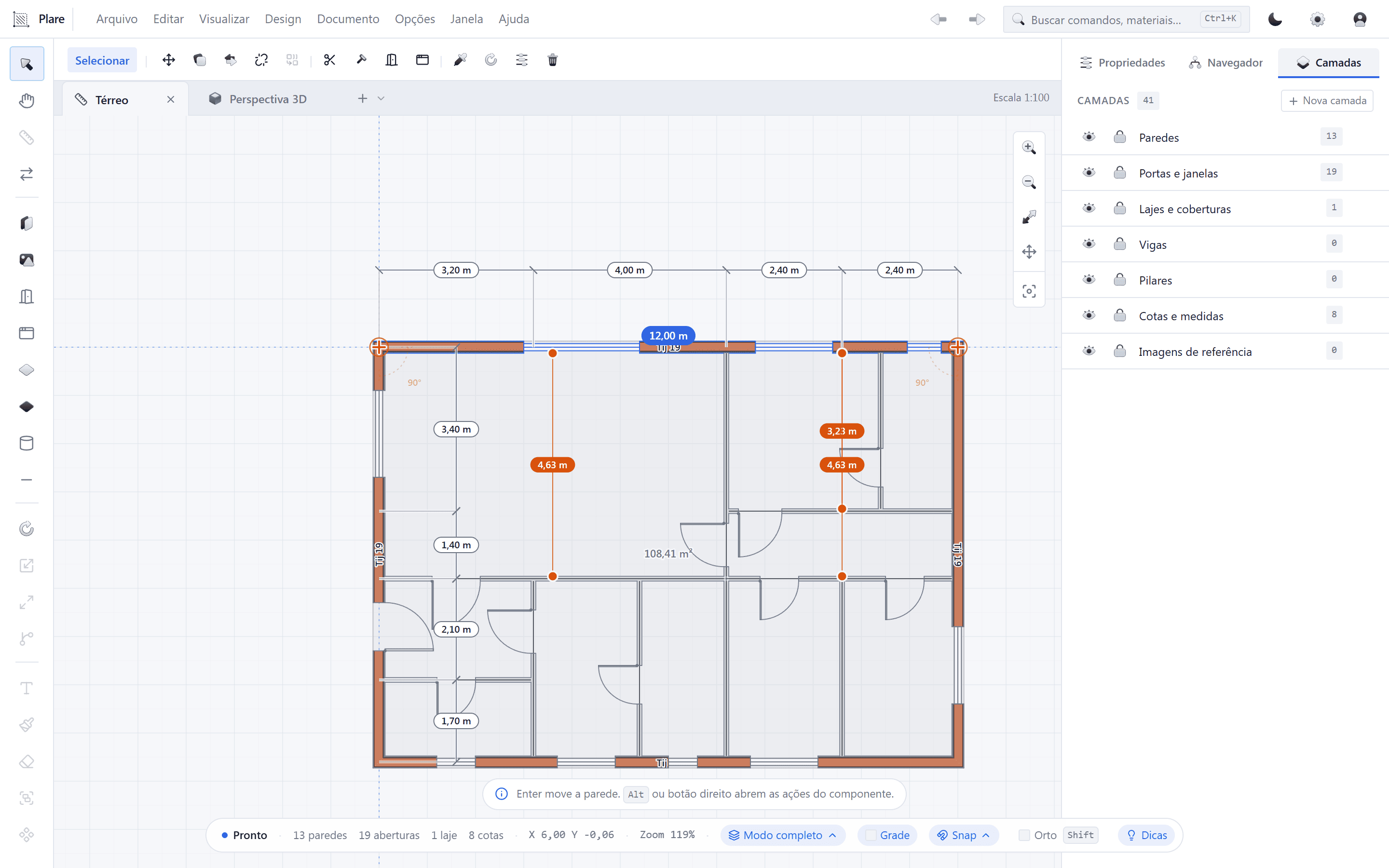
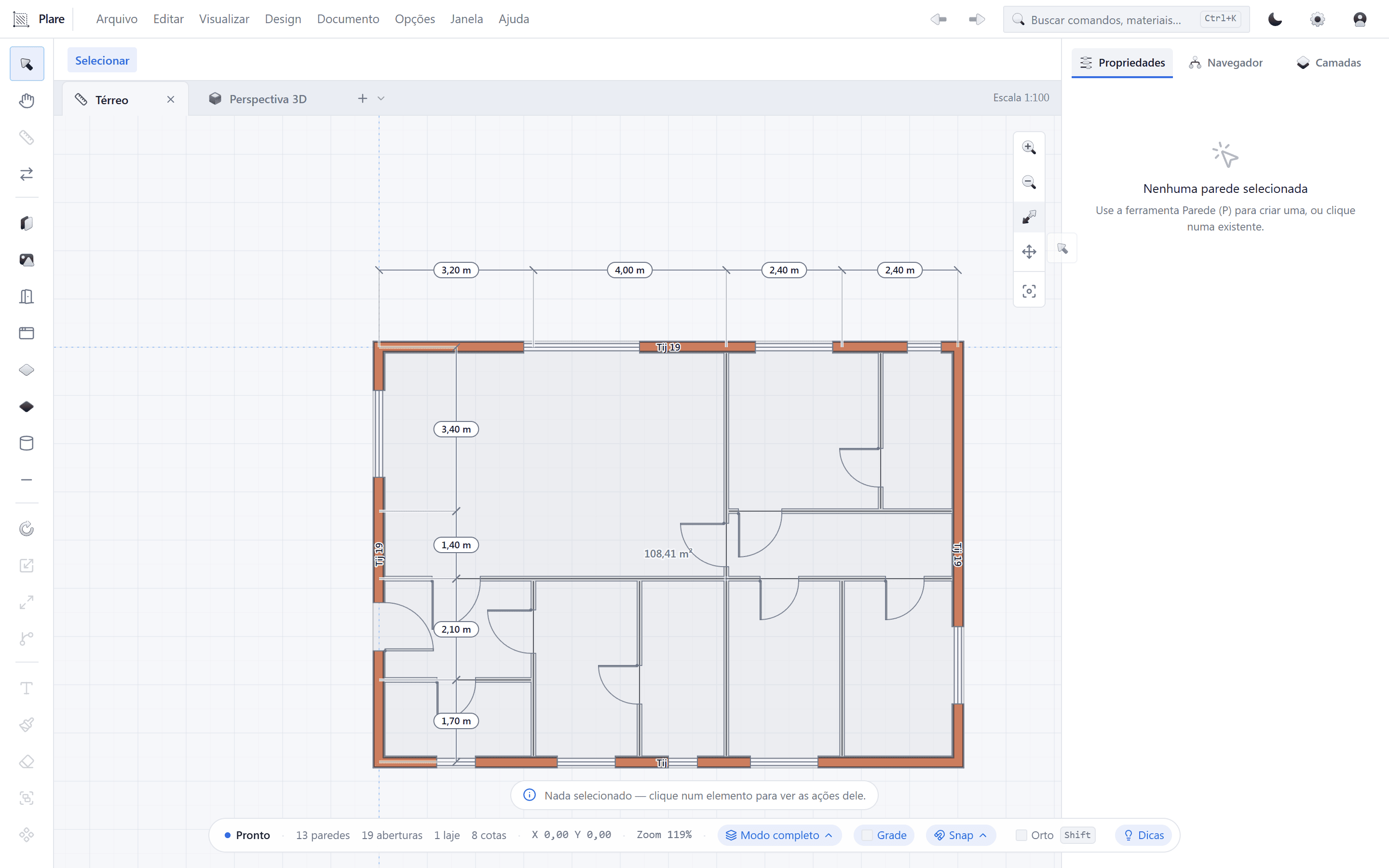
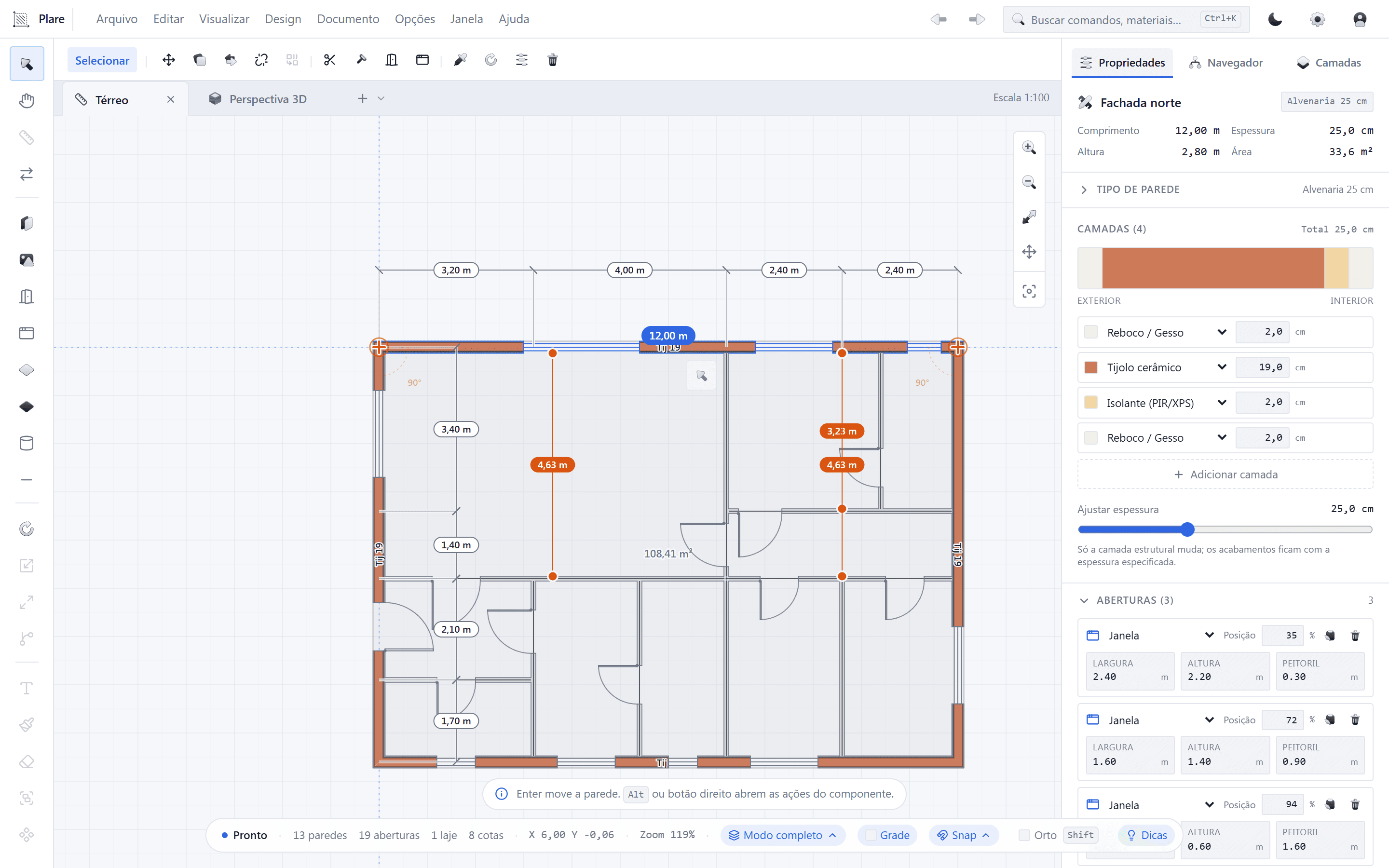
Plare starts from a different thesis: the floor plan is still where the architect thinks. Instead of forcing you to model in 3D and then generate 2D views, Plare lets you draw in plan — wall, door, window — and builds the 3D model in real time, in the same gesture.
In practice, that changes three things:
- Iteration speed. You try a layout variation and see the volume immediately, with no view regeneration and no waiting for processing.
- Less cognitive load. The interface shows what matters for the current task instead of exposing hundreds of commands at once.
- Cost of entry. During the Closed Beta, access is free — which lets you test the tool on real projects without straining the month’s budget.
Plare — strengths
- Unified 2D and 3D: the plan generates the volume in real time
- Minimalist interface and a short learning curve
- Light executable that responds well on modest machines
- Monthly updates based on real feedback
- Free during the Closed Beta
Plare — limitations
- Still in Closed Beta: features may change before launch
- Plugin and library ecosystem still forming
- Does not open .rvt files (exchange via DWG/IFC)
- Multi-user collaboration is not the focus of this phase
- Less educational content available online
Learning curve
Learning Revit is, in practice, learning a profession inside the profession: families, parameters, levels, views, sheets, shared parameters, worksets. There are 40-, 60- and 100-hour courses precisely because the volume of concepts is large. None of that is a flaw — it is the price of depth.
Plare bets on the opposite path. The stated goal is that an architect who has never opened the program can place walls, doors and windows and see the 3D of their project in the first session. That has a cost: less immediate depth in advanced parameterization. The trade-off is deliberate.
Price and licensing model
Revit is sold by subscription, and the cost per workstation is significant — especially for anyone who needs more than one licence or wants to keep old versions for compatibility with clients. Add to that the hardware needed to run large projects smoothly.
Plare is free during the Closed Beta, with seats released in order of signup on the waitlist. The commercial model for the public launch has not been announced yet, but the commitment is to updates included every month, without the “pay again to get this year’s version” logic.
Worth remembering: software prices change. Always check the official sites before making the financial decision.
Performance on large projects
This is where Revit draws the most criticism — and also where it is most misunderstood. A complete multidisciplinary model of a hospital is, by nature, heavy. Revit takes the strain, but it charges in hardware and in waiting time.
Plare was designed to keep interaction instant on the kind of project that accounts for most of the architecture market: residential, interiors, small commercial and schematic design at any scale. The native architecture avoids the layers of abstraction that make simple operations slow. If your day-to-day is plan, section, elevation and volume, the difference in fluidity shows up on first use.
Who each software is for
- Choose Revit if you work with large construction firms, need to deliver .rvt, coordinate structure and MEP in the same model, or depend on client-specific family libraries.
- Choose Plare if you are an independent architect or run a small-to-mid-size practice, want to produce plans and volumes fast, work on a modest machine, or simply want a tool that does not require a weeks-long course to be useful.
- Use both if you are in transition: study and iterate in Plare, consolidate the final documentation in Revit, and exchange files via DWG/IFC. It is what many practices already do today with SketchUp + Revit — Plare just shortens that path.
Can you migrate from Revit to Plare?
Migrating templates, families and project standards is never trivial, in either direction. What you can do right now is simpler and cheaper: use Plare on new projects and keep Revit where it is mandatory.
The exchange between the two happens via DWG (geometry and annotation) and IFC (model with information). It is the same mechanism used between Revit and ArchiCAD, Revit and SketchUp, and any pair of different software on the market — not a perfect solution, but the common language the industry accepts.
Verdict
If you need an answer today: Revit remains the market standard and the safe choice for complex multidisciplinary projects. But safe does not mean comfortable — and it is precisely the discomfort (slowness, complexity, cost) that opens room for a new generation of tools.
Plare is that bet: less immediate depth, far more speed and clarity, and zero cost of entry while it is in the Closed Beta. For most architects producing residential plans, interiors and schematic design, it is a trade-off worth testing — and testing costs nothing.
Try Plare in the Closed Beta
Leave your email and get your invite before the public launch. Seats are released in order of signup.
Disclosure: this blog is maintained by the team building Plare. Comparisons are written from public documentation and everyday use of the tools mentioned — when a competitor is the better choice for a scenario, we say so. Plare features still in development may change before launch.
Frequently asked questions
- Does Plare replace Revit?
- It depends on your workflow. For schematic design, massing studies, architectural floor plans and light coordination, Plare covers the essentials with less friction. For large multidisciplinary projects (structure, MEP, construction) that require .rvt deliverables and an already-established supplier chain, Revit remains the safe choice — and Plare does not promise to solve that during the Beta.
- Does Plare open .rvt files?
- No. The .rvt format is proprietary to Autodesk. The exchange path is export and import via DWG and IFC, which is exactly how practices already interoperate between different software today.
- Is Plare free?
- During the Closed Beta, yes: access is free and released in order of signup on the waitlist. Pricing for the public launch has not been announced yet — the plan is to keep an affordable entry plan with updates included.
- Does Plare run on macOS or Linux?
- The Closed Beta runs on Windows. Plare's core is cross-platform and macOS support is part of the next phases, but confirm availability in the invite you receive.
- Is it still worth learning Revit anyway?
- Yes. Revit is a requirement in many tenders, competitions and contracts with large construction firms. Learning BIM (and the vocabulary the industry uses to talk about BIM) remains a good investment, regardless of the tool.
- Can I use both at the same time?
- Yes, and it is the most common scenario in practices going through a transition: study and quick iteration in Plare, final documentation and multidisciplinary coordination in Revit. Files are exchanged via DWG/IFC.