Door
Cut a door into the span of a wall already drawn.
Step by step
1. Choose Door and aim at a wall.
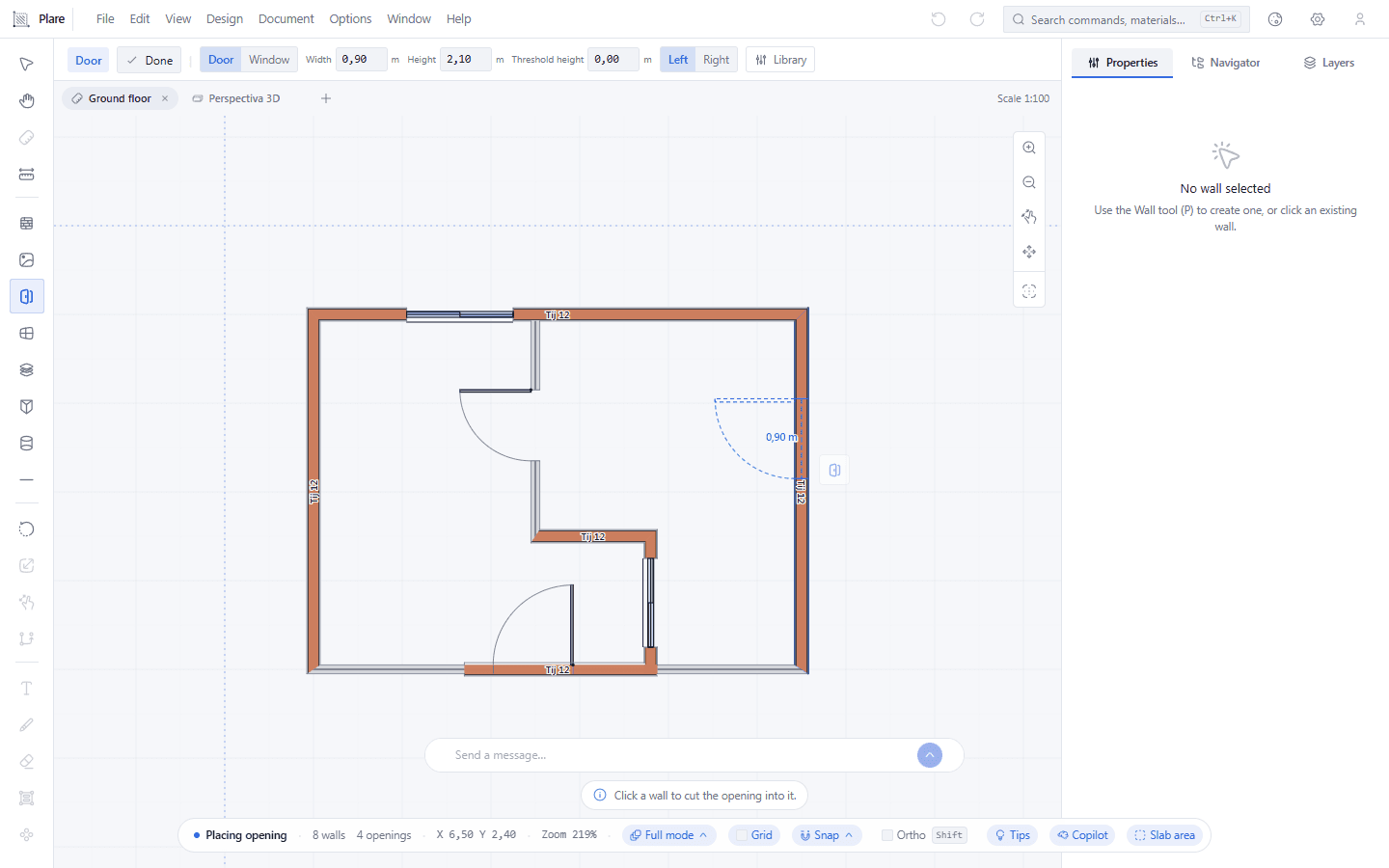
The span appears under the cursor, on the wall. The bar starts showing the Door/Window choice, the width, the height, the threshold and the hinge side — Left or Right. Whatever is written there is what the door is born with.
2. Click to place the door.
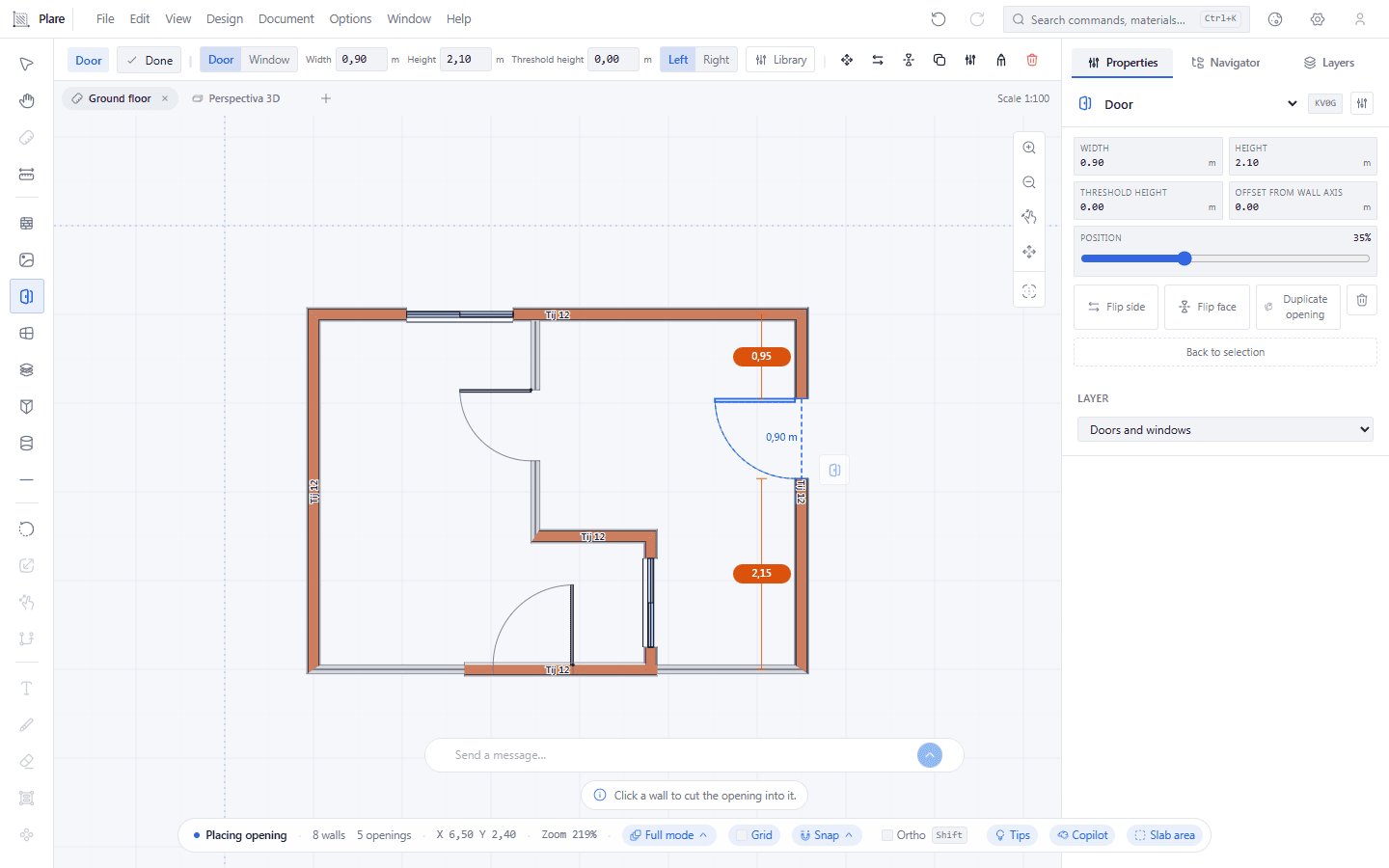
One click cuts the 0.90 m door into the wall, and the door is left selected — that is where the hinge and the settings start being editable.
3. Tab moves the hinge along the wall.
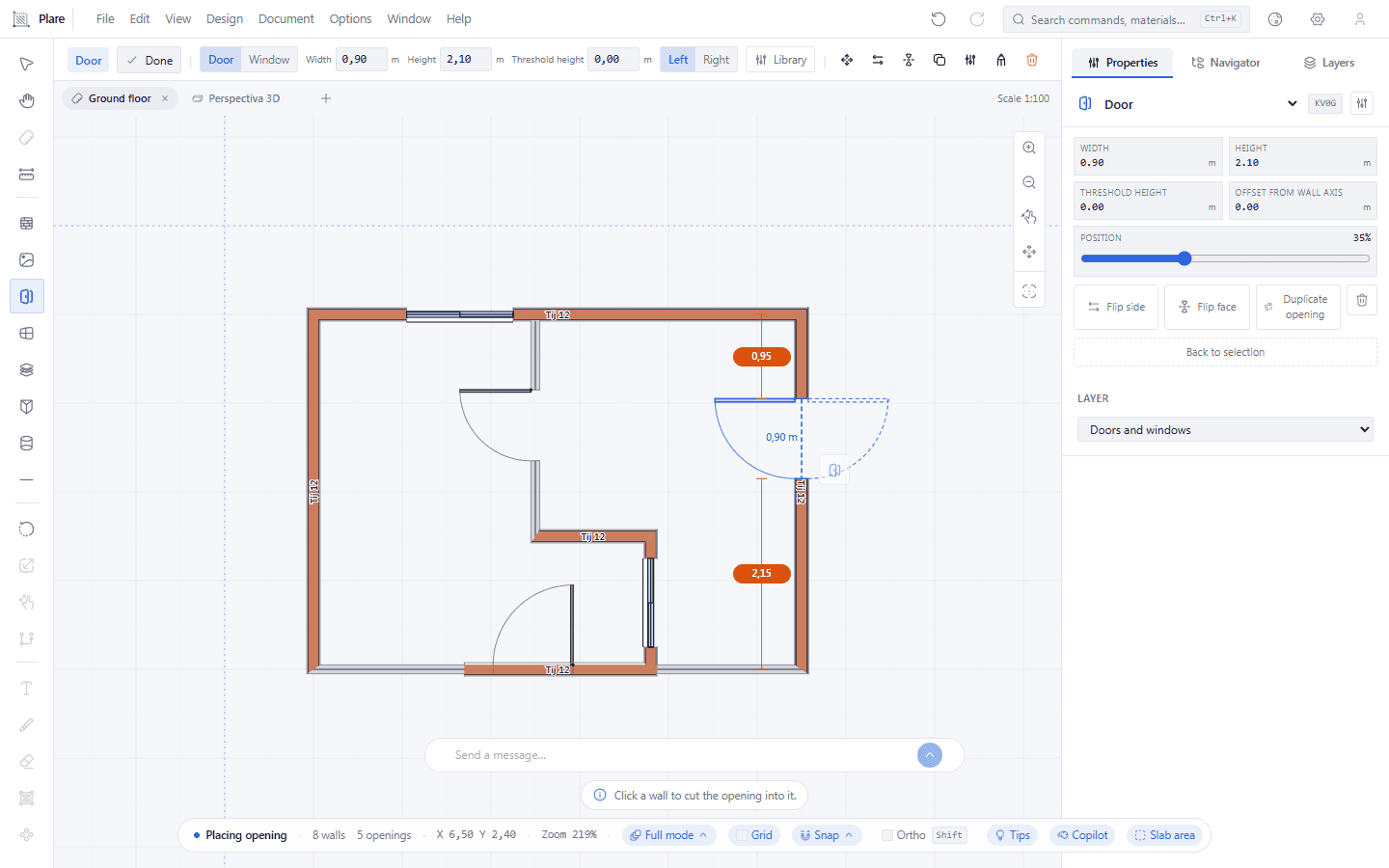
The hinge has been moved and the leaf now swings to the opposite side. Same span, same position on the wall — only the way the leaf turns changed. Shift+Tab is the other axis: it flips the leaf onto the other face.
4. Open Settings to work on the side and the flip.
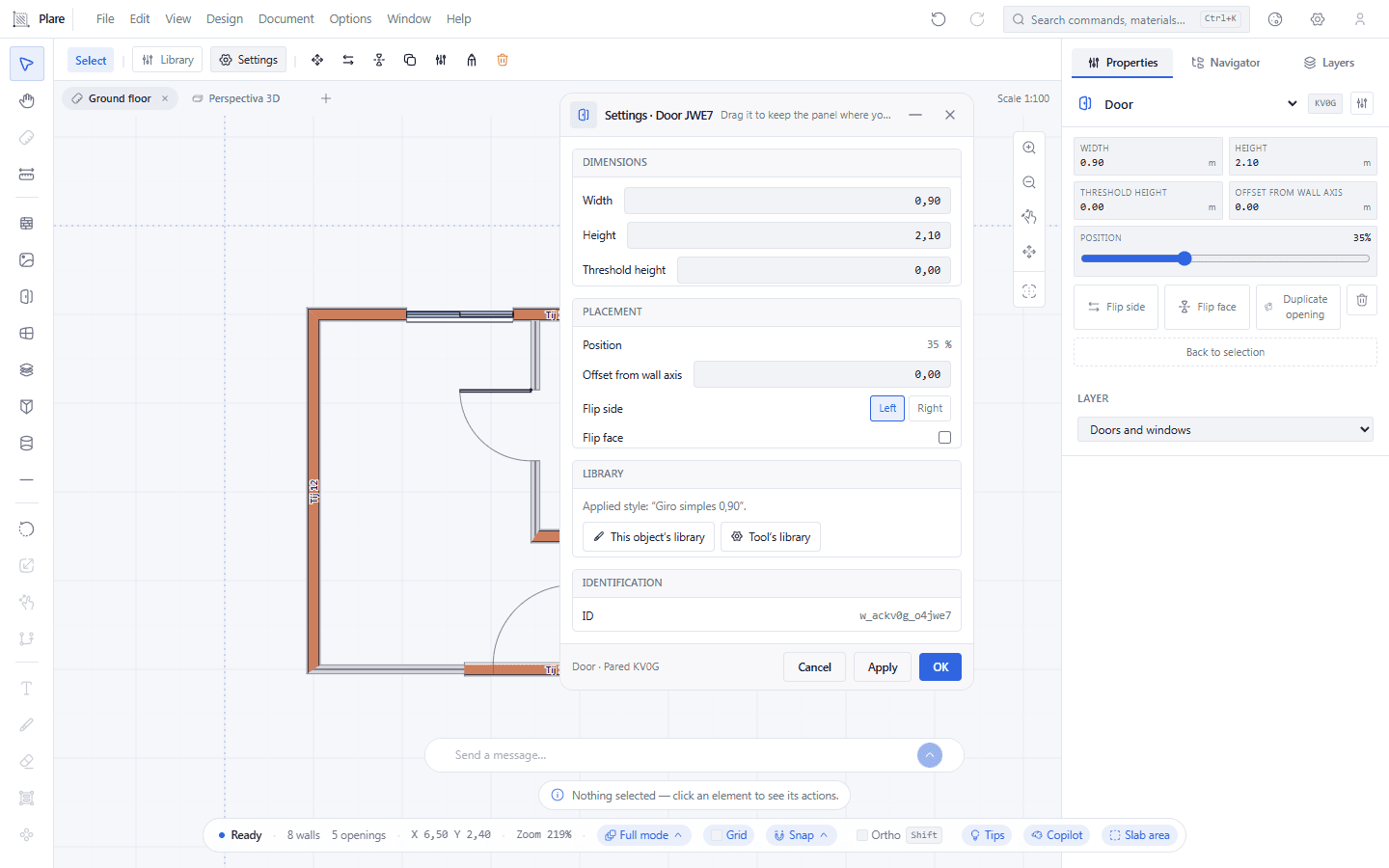
The Settings button lives in the selection bar, and that bar only exists with Select active: with the tool armed the bar shows the measurements of the next door, not the buttons of the chosen element. The window it opens carries the side and the flip.
Worth knowing
- A door is not a loose object: it lives inside the wall. Deleting the wall takes the door with it.
- The side and face you chose are remembered — the next door is born that way, no need to flip again.
- Default: 0.90 m wide by 2.10 m high. Exact values are edited in the Inspector.
- With no wall under the cursor there is nothing to cut into; the tip bar warns instead of doing nothing.